Time to shape the journey of your game
- Open the Level Editor
(Your main workspace for designing levels ) - Click on the “Edit Road Map” button
(This unlocks the path editing mode ) - Now, look at the Inspector panel
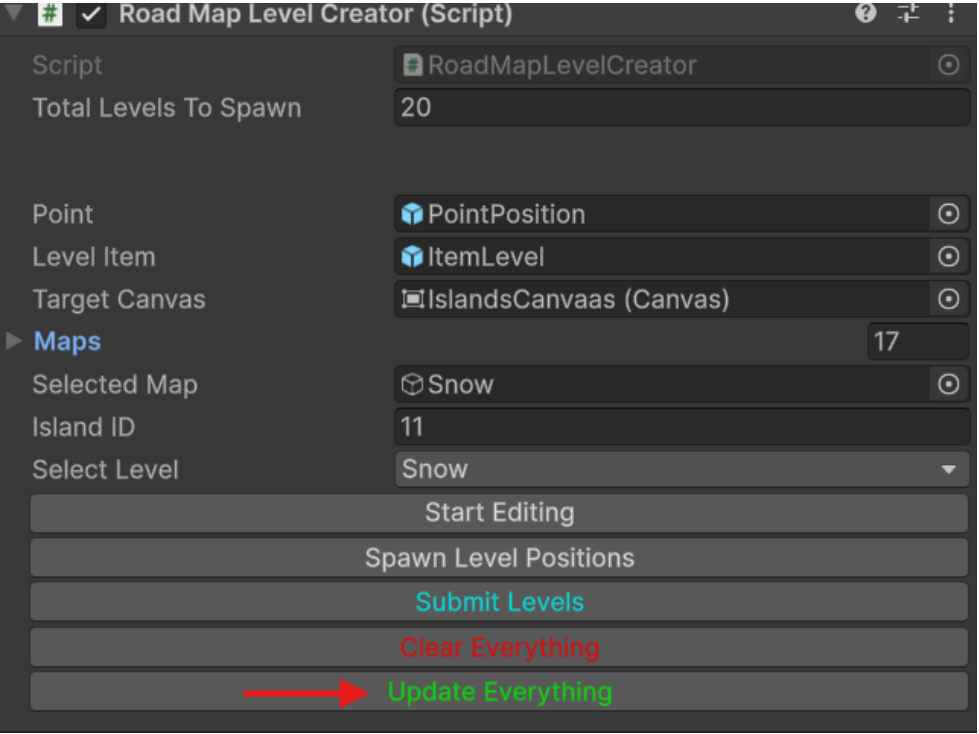
You’ll see a new object called “Road Map Editor” appear (Just like in the picture below )
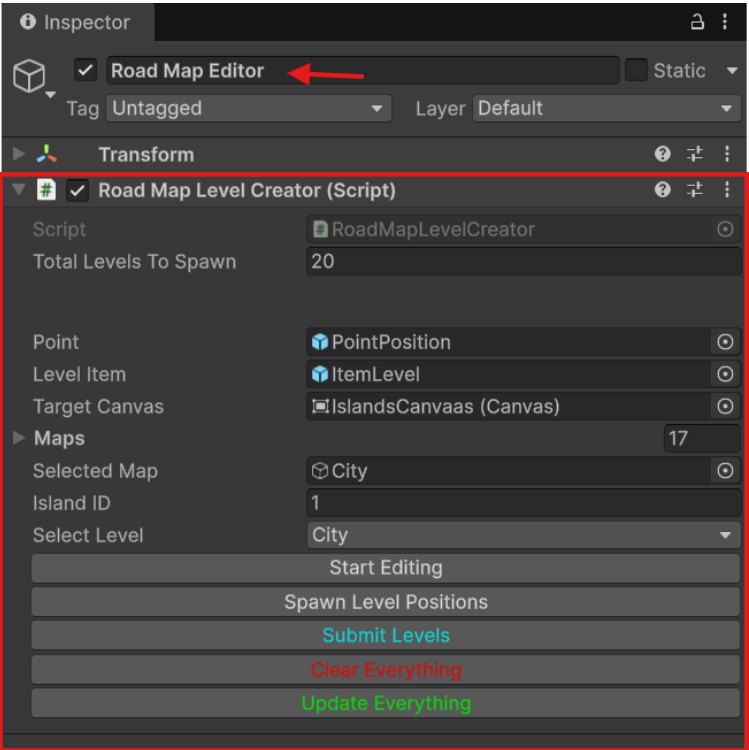
Road Map Editor – Parameters Explained
Let’s break down the important settings so everything works smoothly
- Total Level to Spawn :
This value defines how many levels will be created. It must be exactly the same as the number of levels in your Level Editor.
Mismatch = problems (missing or extra levels), so keep them in sync!
- Point & Level Item
Point : These are the guide points used for level positioning while editing the roadmap. - Level Item:
These represent the level dots/icons that appear on each island in-game.
Together, they control both the structure (behind the scenes) and the visuals (what players see).
- Maps List :
There is a list called Maps.
To add a new map:
Click the “+” button and assign the corresponding object from the Hierarchy - Order Matters!
The order of objects in the Maps list must be the same as their order in the Hierarchy.
If the order doesn’t match, your roadmap may behave
incorrectly or show wrong data.
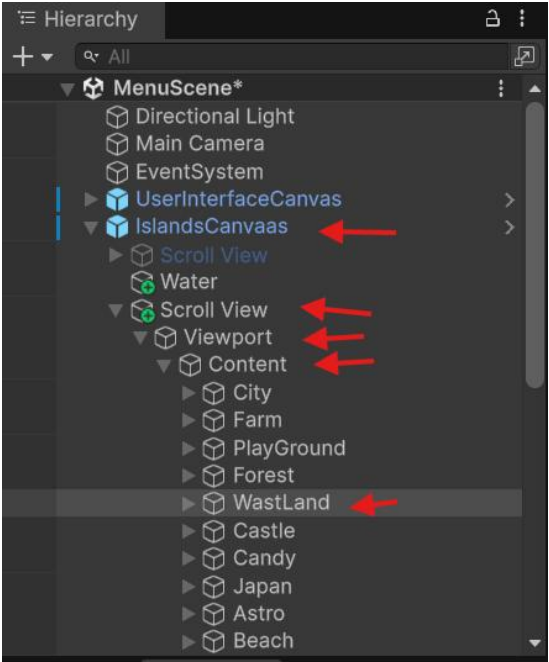
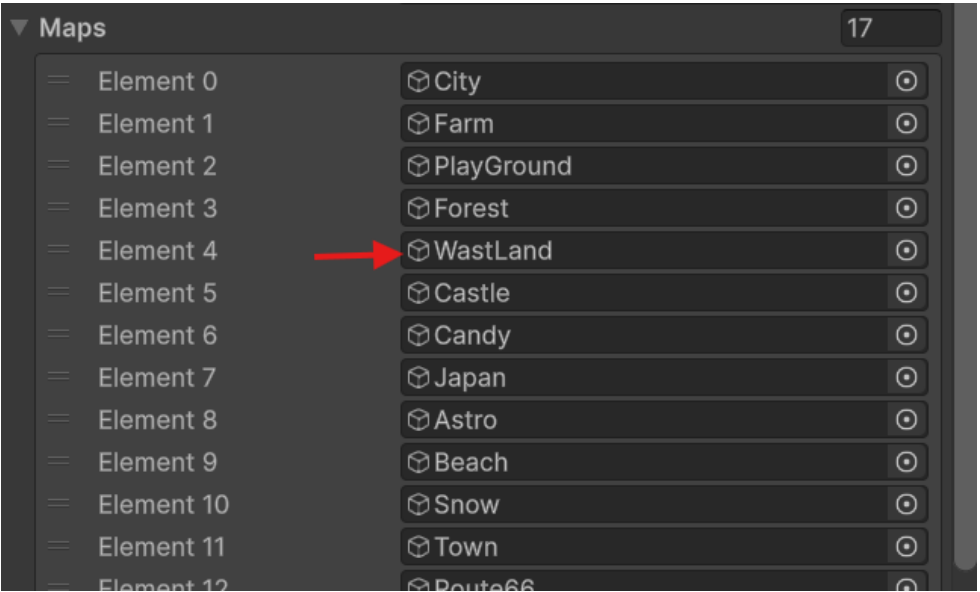
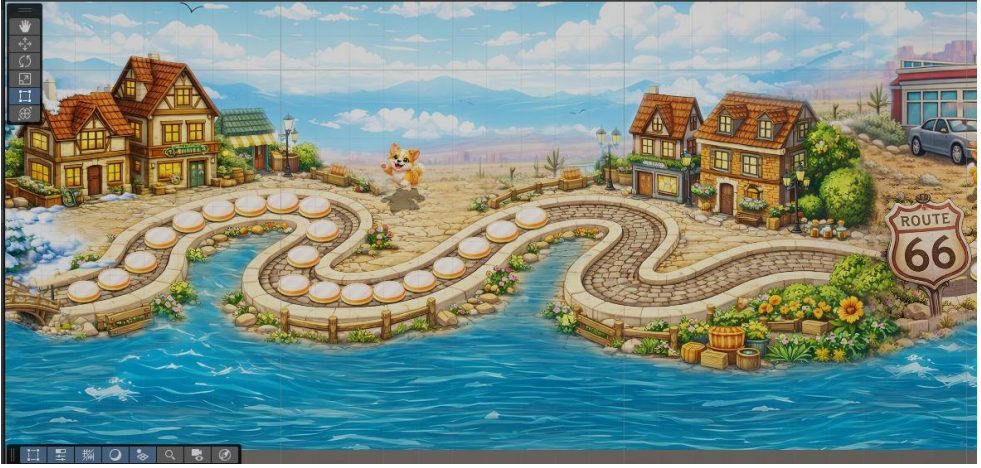
Selecting an Island to Edit
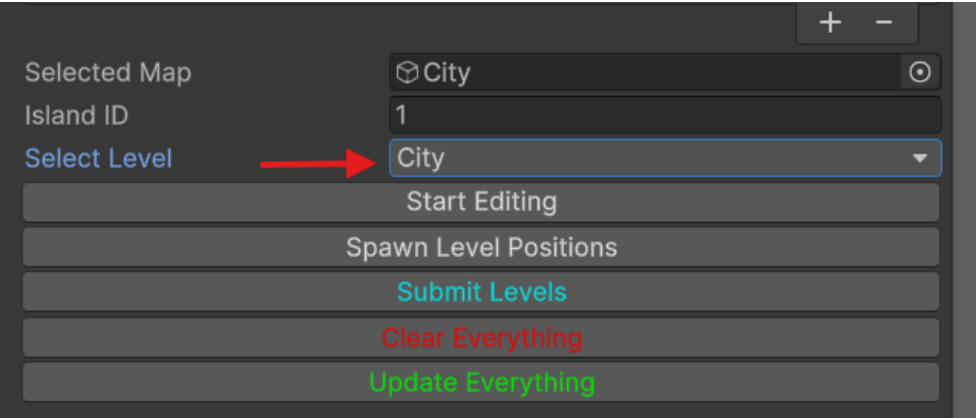
After selecting your island:
- Click on “Start Editing”
(This activates the edit mode for the roadmap)
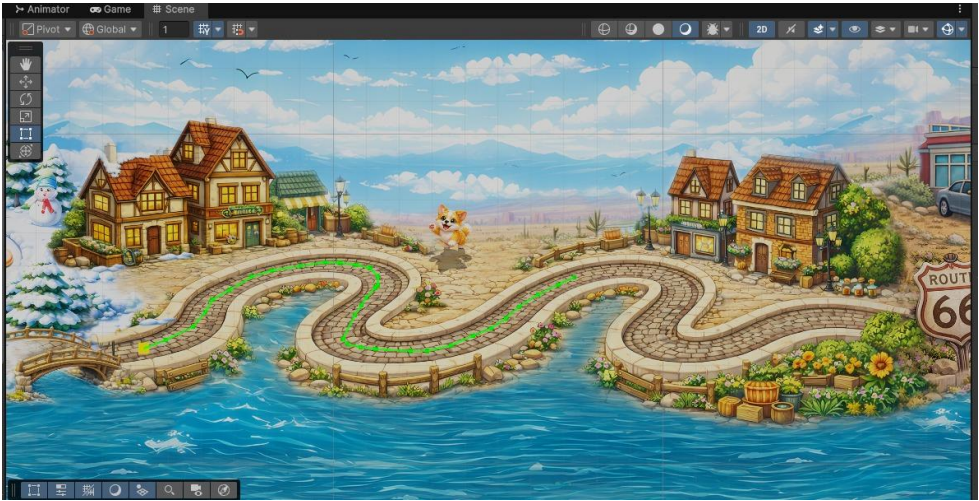
- Click on “Spawn Level Positions”
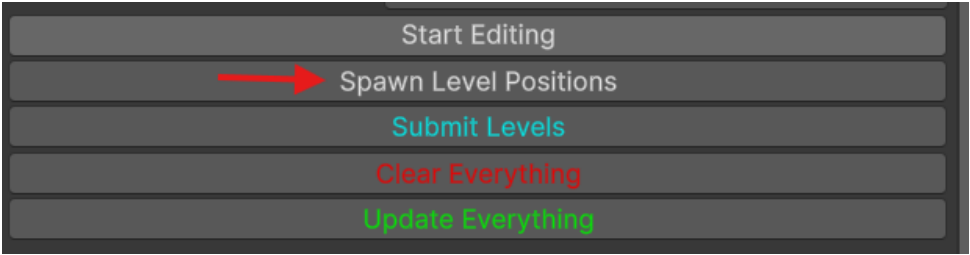
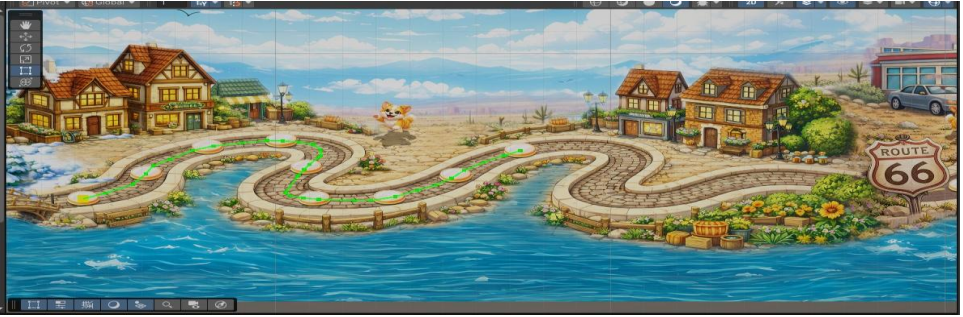
Make sure the number of levels you’ve created for this island is exactly the same as the number of levels in the Level Editor, click on “Submit Levels”.
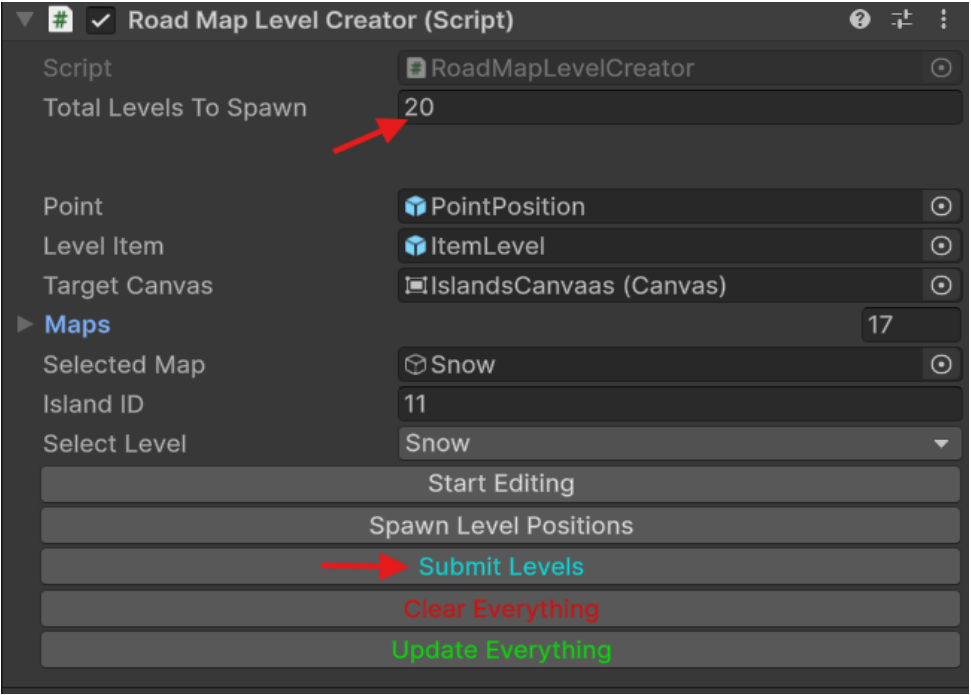
Final Step: Save Everything
Click on “Submit Everything”
Save your scene:
- “Press Ctrl + S” Or Go to File → Save
All done! Everything is now saved and set up correctly.
Notice: Level Count Must Match!
Here’s an important rule to keep in mind
- If the “Total Levels To Spawn” value does NOT match the number of levels you created in the Level Editor, your changes will NOT be submitted.
This means: Clicking submit won’t apply your work. Always make sure: Total Levels To Spawn = Number of levels in Level Editor.