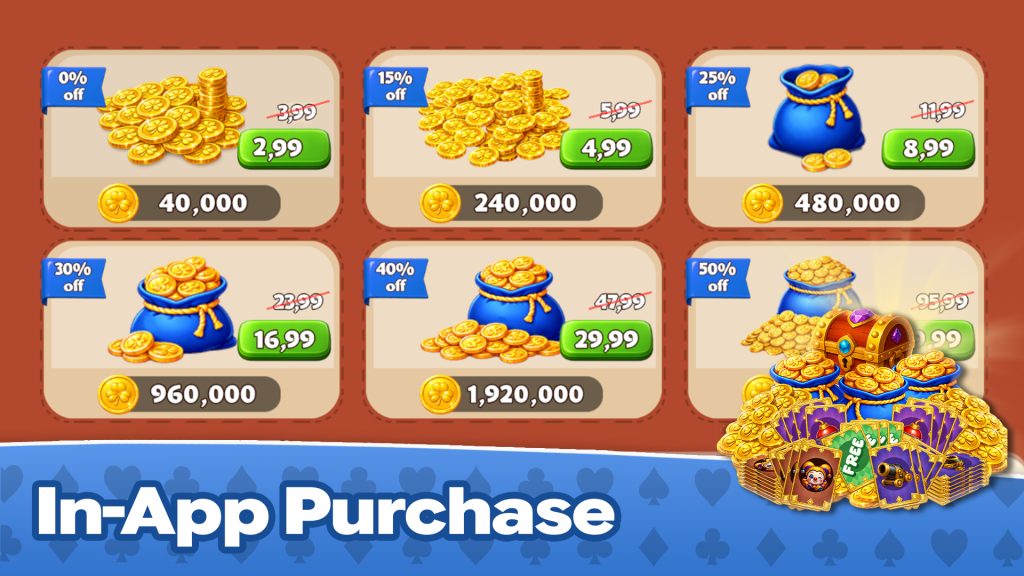
🛒 Time to set up your in-app purchases!
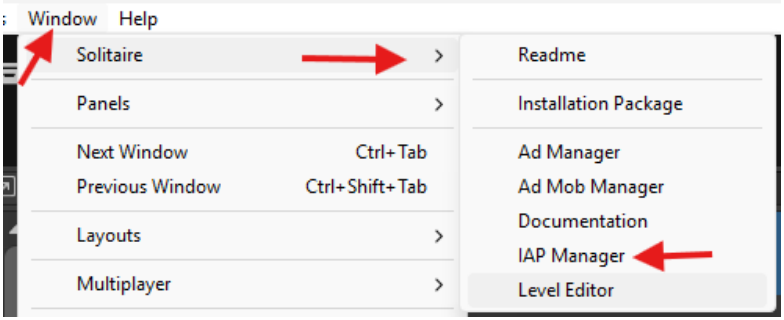
Open the IAP setup panel:
Navigate to Window → Solitare → IAP Manager
(Your control center for all purchasable goodies 🎮 )
Once opened, you’ll see an overview of:
- 📦 Packages (bundles or groups of items)
- 🛍 Purchasable Items (what users can actually buy)
From here, you can:
- Add new items
- Edit existing ones
- Organize your packages neatly
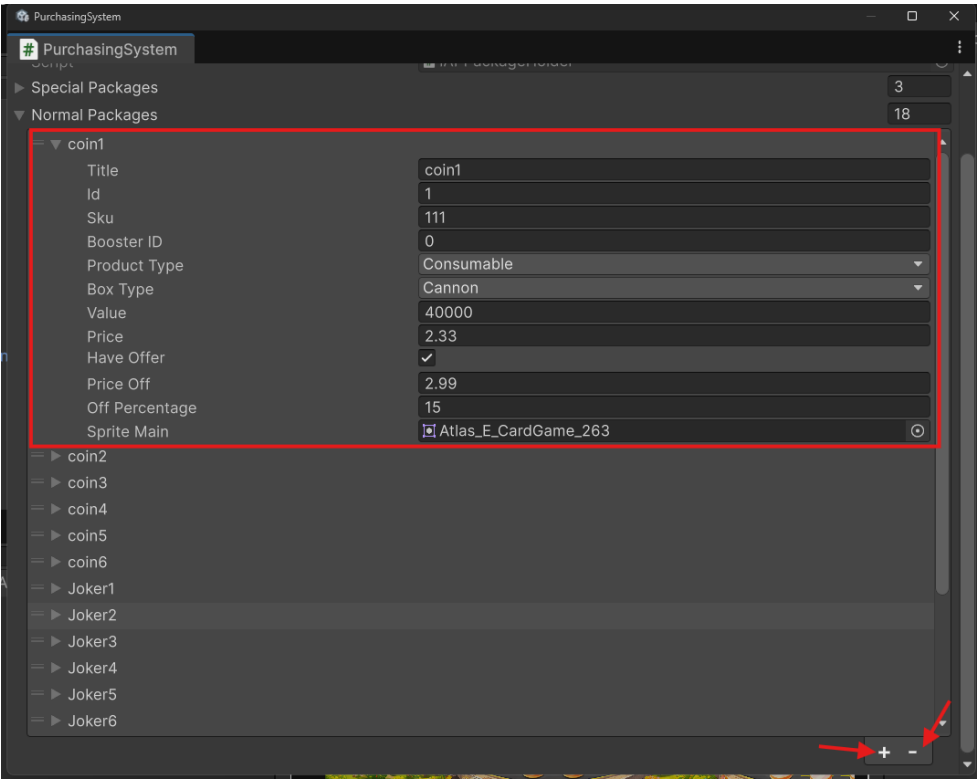
IAP Item Fields Explained
Here’s what each field means when you’re setting up your
purchasable items:
- Title 🏹
The name of the package (what users will see in the store) - ID 🎢
A unique identifier for this item (must not be duplicated) - SKU 🕶
The SKU you defined on the store (Google Play / App Store) - Product Type 🎯
The type of purchase (e.g. consumable, non-consumable, subscription) - Box Type ⛳
The visual/type of box shown in your game (for presentation) - Value 🎨
The amount of product the user receives (e.g. coins, gems) - Price 💲
The displayed price of the item
Offer Settings
- Have Offer ⛑
Enable this to show a discount badge (usually a red highlight) - Price Of 🥇
The discounted price - Off Percentage 🎩
The percentage of discount applied - Sprite Main 🖼
The main image/icon representing the product in the shop
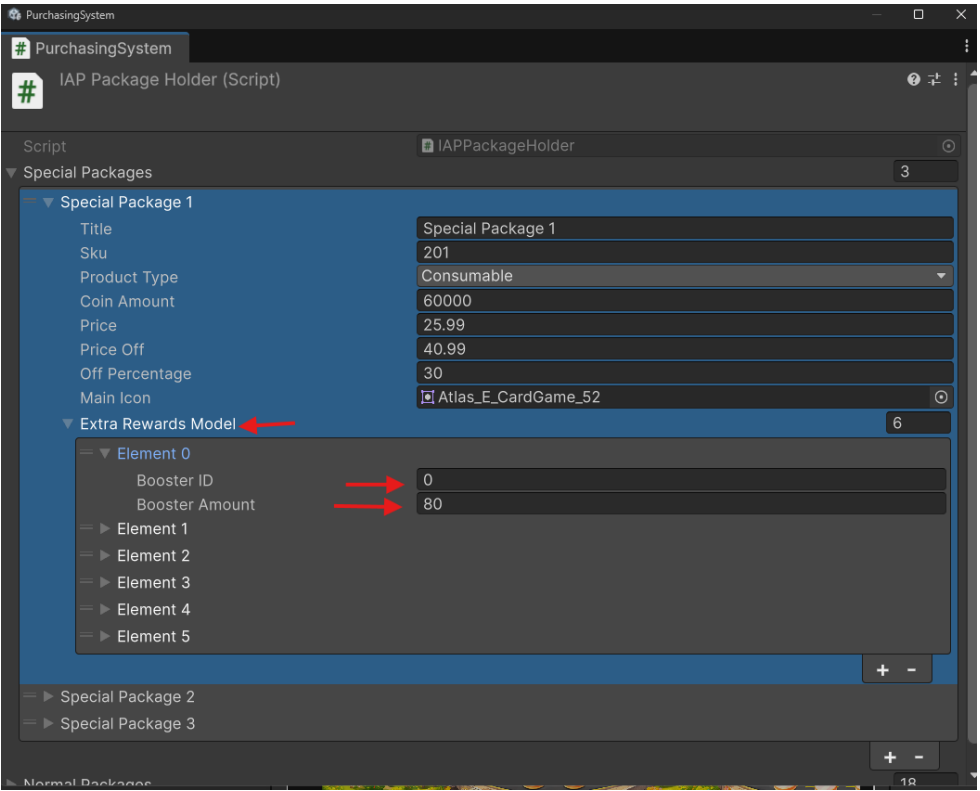
For special packages, you have an additional option to make them more attractive
- Extra Rewards Model 🙄
This option allows you to give bonus rewards to the player on top of the main purchase.